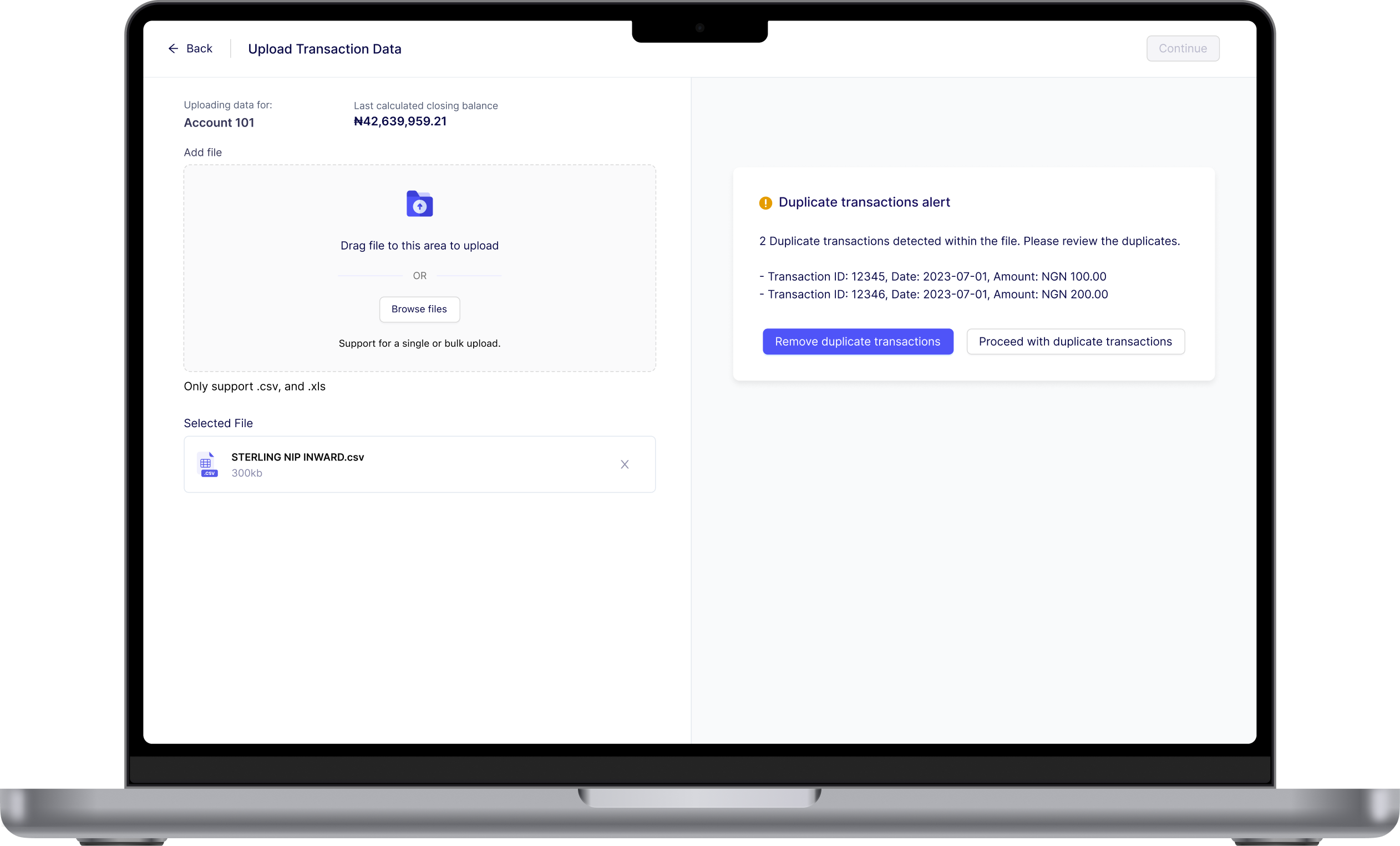
In the world of financial operations, reconciliation is a critical process that ensures financial records are accurate and consistent across different systems. Whether it’s reconciling bank transfers, card payments, or agency banking transactions, the goal is to match transaction data seamlessly and identify any discrepancies.
However, at Credrails, we faced persistent reconciliation accuracy due to errors in CSV transaction files. These errors caused inefficiencies, delays, and frustration for reconciliation officers and settlement teams. To address this, we designed and developed a CSV Validator — a feature that automates data checks during upload and empowers users to fix errors within the software itself.

Product Designer and UX Researcher

A Product Manager and 3 Engineers

3 Months
Financial reconciliation is the process of comparing transaction records from different sources (e.g., bank statements, payment providers and internal ledgers) to ensure they match. This process is vital for detecting discrepancies, preventing fraud, and maintaining financial accuracy.
Our users, including reconciliation officers and settlement teams, frequently encountered errors in CSV transaction files that disrupted the reconciliation process. The most common issues included:
Transaction IDs getting cut off
Gaps in data, making it hard to complete reconciliation.
Repeated entries skewing reconciliation results
Errors in the initial balance calculation causing downstream issues.
Our users, including reconciliation officers and settlement teams, frequently encountered errors in CSV transaction files that disrupted the reconciliation process. The most common issues included:
Teams had to manually identify and fix errors in Excel, a time-consuming and error-prone task.
Incorrect transaction files led to repeated reconciliation failures, delaying financial operations.
Dealing with large datasets and repeated errors caused inefficiency and dissatisfaction.
Dealing with large datasets and repeated errors caused inefficiency anddissatisfaction.
Persistent transactions file issues not only increased workloads and delayed financial processes but also caused frustration, reduced efficiency, impacted reconciliation accuracy, and eroded users’ confidence in the system.
Automatically identify errors during CSV file uploads..
Allow users to correct errors within the software without relying on Excel.
Automatically identify errors during CSV file uploads..
Automatically identify errors during CSV file uploads..
To build a feature that truly addressed our users’ needs, I began by diving deep into their workflows and challenges. Our users came from organisations like Kuda Bank, Nomba, and OnaAfriq, where reconciliation is a daily necessity. These teams often grappled with CSV file errors that disrupted their processes, so I conducted in-depth user interviews to uncover their pain points and understand how they interacted with our solution.
I listened to the stories of users who rely on our reconciliation software daily, uncovering their frustrations and hopes. They spoke about the repetitive burden of cleaning up CSV files manually, the frustration of chasing down errors like missing transactions or duplicates, and the inefficiencies that delayed critical financial processes. These conversations highlighted not just technical challenges but the emotional toll of constantly firefighting data issues. Their insights became a guiding light, reinforcing the need for a solution that would simplify their workflows and restore trust in the reconciliation process. Below are some of the key thoughts shared by users.
“If the system could flag and fix errors for me, it would save hours of work. Right now, it’s just tedious.”
“With thousands of transactions, it’s impossible to manually check for every issue. The tool has to do the heavy lifting.”
“Every time I upload a file, I have to clean it up in Excel first. It’s time-consuming, and even then, I’m not always sure I’ve caught everything”
“When reconciliation fails, it delays settlements, and that affects our operations downstream. It’s frustrating for everyone.”
In speaking with users, a clear picture of their daily struggles emerged. Reconciliation officers described spending hours fixing files in Excel—manually hunting for duplicates, resolving missing transactions, and correcting truncated references. One user shared how this repetitive task felt like “more of a firefight than a process,” eating into time meant for critical analysis and decision-making.
These errors didn’t just disrupt workflows; they delayed settlements and created ripple effects throughout their organizations. The pressure to maintain accuracy while working with thousands of transactions added to the frustration. As one user put it, “The system should be smart enough to catch these issues for me. It shouldn’t be this hard.”
The desire for automation and an intuitive fix process was unanimous. Users wanted a tool that didn’t just flag errors but also provided actionable solutions without requiring them to leave the platform. Their feedback underscored the need for scalability, as many files contained millions of rows, making speed and performance critical.
These candid conversations shaped the foundation of the transactions file Validator, ensuring that every aspect of the design directly addressed these pain points and empowered users to reconcile with confidence and ease.
To ensure our solution was both innovative and competitive, we analyzed how similar tools approached reconciliation and data validation. We reviewed Ledge, Modern Treasury, Simetrik, and Payrails, focusing on their strengths, limitations, and key differentiators.
This analysis revealed several opportunities: while competitors offered robust reconciliation features, most lacked intuitive, in-platform error fixing for CSV files. The emphasis on automation without user empowerment highlighted a gap we could fill by offering not just validation but also actionable fixes within the upload process.




Building the transaction file validator was a journey that balanced user insights, technical feasibility, and collaborative problem-solving. The process began with translating the pain points from user interviews into actionable goals. It was clear that the solution needed to automate error detection, allow in-platform fixes, and handle large datasets efficiently.
The first step was brainstorming with the team to map out the user flow. We envisioned a process where users could upload transaction files, triggering a checker that immediately runs a diagnostic scan to identify potential errors before the file is ingested into the system. This early validation ensured that problematic files wouldn’t disrupt downstream processes. Initial wireframes focused on simplicity: a clear upload interface, error summaries categorized by type, results from the diagnostic checker, and an option to fix or proceed for each flagged issue.
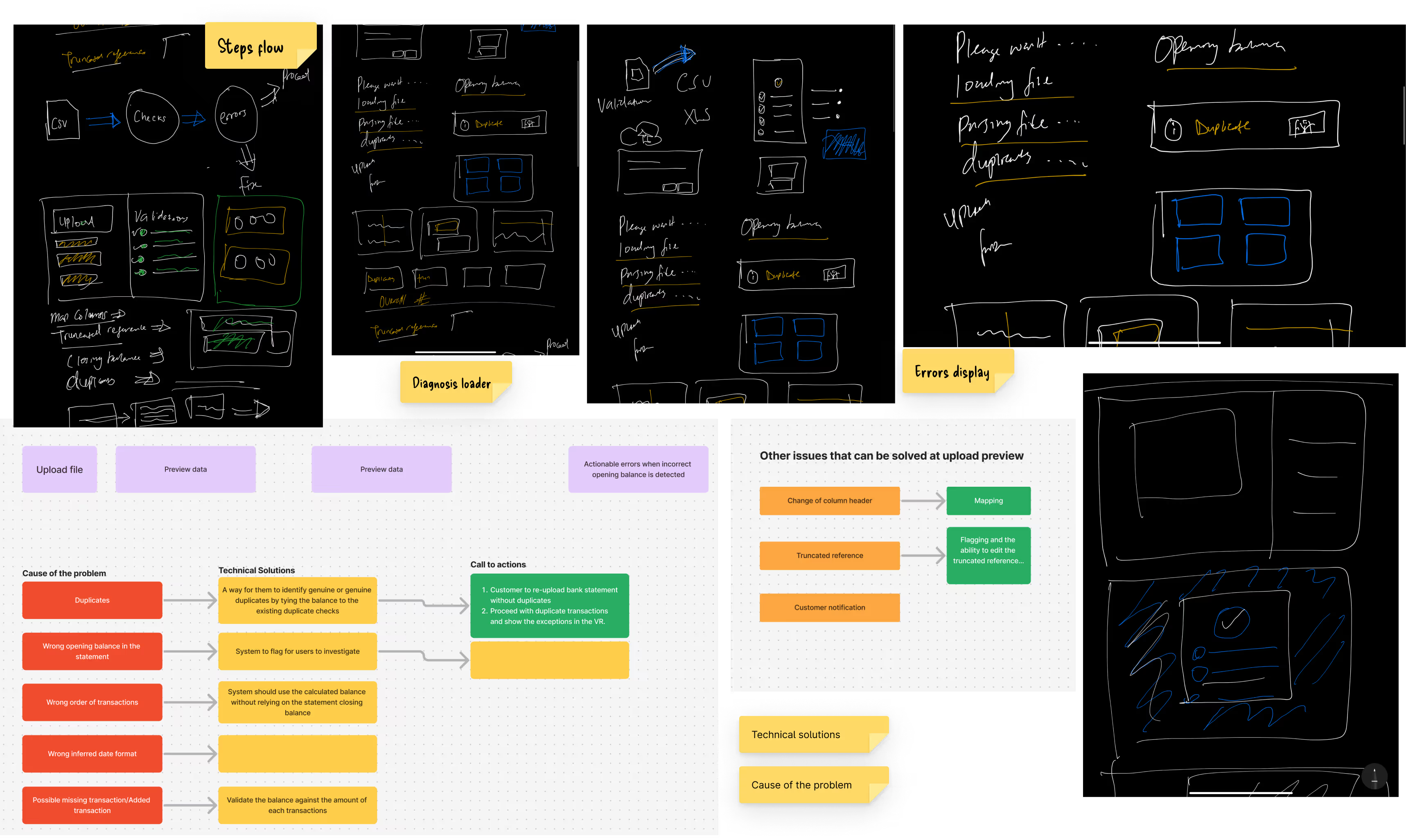
Prototypes were created to test the workflow with users. Feedback from usability tests was invaluable. Users found the categorized error summaries helpful but wanted clearer descriptions and examples of the issues. Based on this, we iterated, adding inline explanations and a step-by-step fix process that walked users through resolving errors like duplicates or missing transactions.
All validations occur before data is ingested into the system, ensuring that problematic files do not disrupt reconciliation processes.
Errors are presented with clear explanations and options to fix or skip, giving users control over the process.
The solution was optimized to handle large files with thousands or millions of rows without compromising performance.
Close collaboration with the product manager and engineers ensured technical feasibility while staying user-focused. We refined the UI to integrate seamlessly with the existing reconciliation workflow and worked with engineers to optimise performance for large datasets.

Testing played a crucial role in refining the File Validator, ensuring it was both intuitive and functional for end users. The process included testing with a Figma prototype in the early stages and the built solution during development.
To validate the user experience before development, we tested interactive Figma prototypes with reconciliation officers and settlement teams. These sessions focused on key aspects:
Evaluating if users could easily understand and act on flagged issues.
Testing how users navigated the upload, diagnostic, and error-fixing process.
Users appreciated the categorised error summaries but suggested adding inline examples to clarify issues like truncated references.
The diagnostic flow was intuitive, but users wanted more control over whether to fix errors immediately or proceed.
Based on this feedback, we refined the prototypes by adding clear examples for each error type, an option to skip fixes, and improved navigation between steps.
Once development was underway, we tested the implemented solution to ensure it worked seamlessly in real-world scenarios. These tests focused on:
Ensuring the diagnostic checker accurately identified errors in both CSV and XLS files.
Testing with large datasets (thousands to millions of rows) to assess scalability and speed.
Verifying if the final workflow matched user expectations from the Figma tests.
The built solution performed well but initially lagged with extremely large files. Optimisations were made to the batch processing system to improve speed.
Inline error-fixing tools worked as intended, reducing users’ dependency on external tools like Excel.
• Enhanced performance to handle larger datasets efficiently.
• Fine-tuned the error display and resolution options to align with user needs.
The File Validator was designed to address the core challenges users faced with financial transaction files, ensuring seamless error detection, resolution, and reconciliation. By focusing on automation, scalability, and user empowerment, the solution streamlined the workflow and eliminated the dependency on external tools like Excel.

The File Validator delivered measurable improvements to the reconciliation workflow, addressing key pain points and enhancing user experience. Here are the highlights of its impact:

Reduction in Reconciliation Failures

Faster File Processing

Increase in Efficiency for Reconciliation Teams
By catching errors upfront and providing actionable fixes, the validator restored trust in the reconciliation process and software reliability.
The in-platform fix feature eliminated the need for external tools like Excel, simplifying workflows and reducing disruptions.
The solution seamlessly handled large datasets, making it suitable for high-volume financial operations.
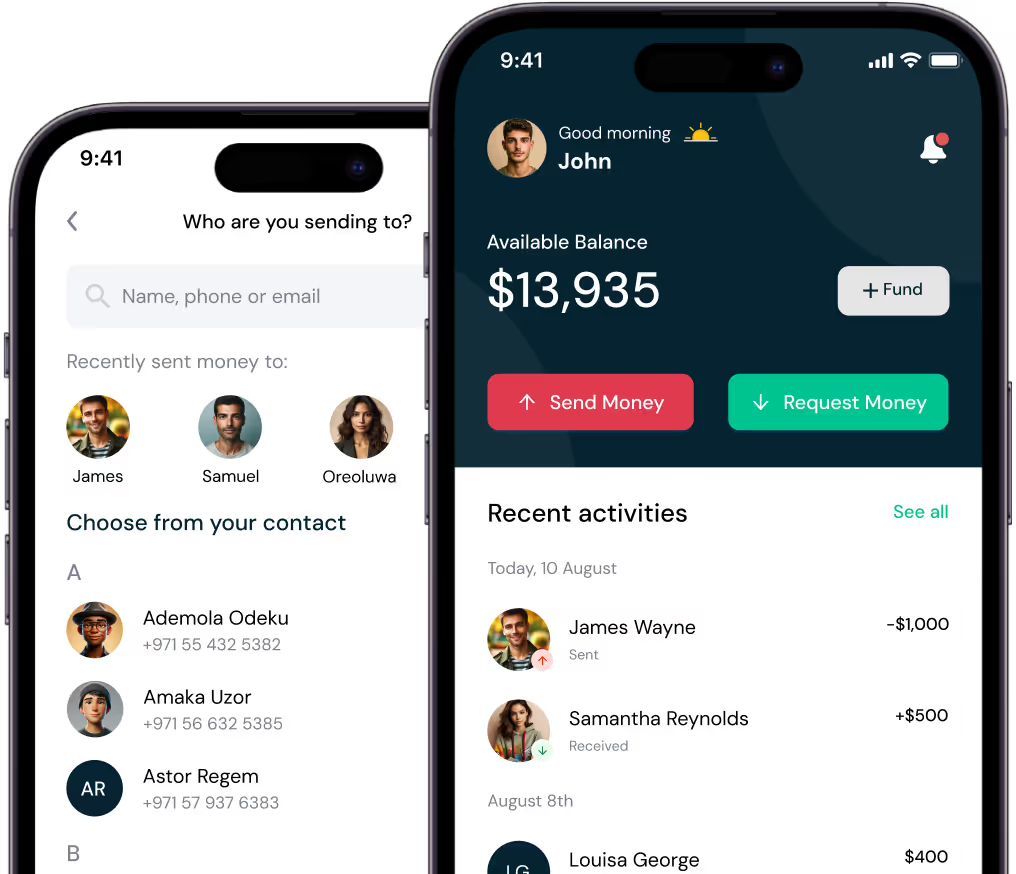
Peer to peer mobile and web wallet that enables individuals send money, receive money, make card payments and gift cards.

Peer to peer mobile and web wallet that enables individuals send money, receive money, make card payments and gift cards.


